Unlocking the World of Chromebooks: Your Essential Guide

Chromebooks have surged in popularity due to their affordability, simplicity, and seamless integration with Google services. More than just a laptop, they offer an accessible gateway for users, especially seniors, to embrace technology without overwhelming complexity. This blog post explores a range of essential books that serve as perfect companions for anyone looking to navigate the Chromebook landscape.

As a user-friendly alternative to traditional laptops, Chromebooks are particularly appealing for those who may not be tech-savvy. The right guide can simplify the learning process and help users gain confidence in their digital skills. Whether it’s web surfing, entertainment, or basic applications, these recommended books are tailored to empower every user, particularly seniors, in making the most out of their Chromebook experience.

Chromebooks in easy steps: Ideal for Seniors

This book is a fantastic resource for seniors who want to learn how to use Chromebooks without feeling intimidated. It breaks down complex concepts into easy-to-understand steps, making it accessible for readers who may not have prior experience with computers. Each section is structured logically, progressing from the basics of the Chromebook’s design and components to essential tasks like browsing the internet and using apps. The large print and illustrations are particularly helpful, providing clarity for readers. Ideal for older adults looking to stay connected and utilize technology in their everyday lives, this guide truly empowers its readers.

Seniors Guide to Chromebook: An Illustrated, User-Friendly Guide to Using Your Chromebook the Right Way. Learn All You Need, From the Basics to Web Surfing, Entertainment, and Applications

This illustrated guide is perfect for seniors who may feel overwhelmed by technology. It covers everything from setting up a Chromebook to using it for pleasurable activities like streaming videos and connecting with family on social media. The step-by-step format, coupled with helpful illustrations, enables seniors to follow along easily. The book also emphasizes common troubleshooting tips and best practices for optimal use, which is great for those who are new to the digital world. This guide is particularly useful for seniors wanting to enhance their online experience safely and efficiently.

Chromebook for Seniors – 2023 Edition: The illustrated, Step-by-step guide on how to use your Chromebook (Seniors Guides)

The 2023 edition of this guide continues to serve its purpose by providing comprehensive and up-to-date information for seniors. It is organized in an easy-to-follow manner, with clear headings and colorful illustrations that make learning enjoyable. The content is tailored to today’s technological landscape, focusing on essential features of modern Chromebooks. Readers will find practical advice on using the internet, accessing Google apps, and managing their files efficiently. This book is a must-have for any senior who wants to stay relevant in a digital world, making it simpler to connect with friends and family.

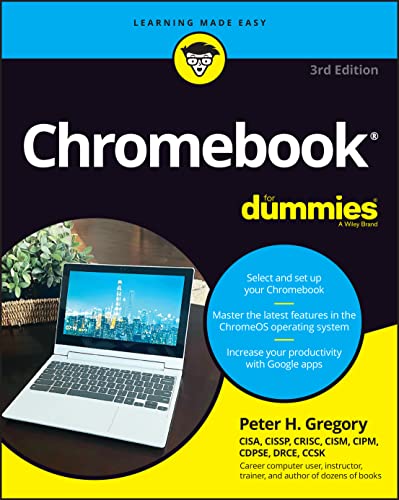
Chromebook for Dummies (For Dummies Series)

This book belongs to the popular ‘For Dummies’ series, which means it is designed to simplify complex topics for beginners. It provides an in-depth understanding of how Chromebooks work, making it ideal for those who are just starting. The author’s approachable writing style and humor make the learning process fun and engaging. Topics include navigating the Chrome operating system, connecting to Wi-Fi, and utilizing Google applications. This guide is excellent for both seniors seeking straightforward instruction and younger users wanting a reliable start with Chromebooks.

Chromebook For Dummies (For Dummies (Computer/Tech))

As another entry in the ‘For Dummies’ series, this book covers essential features and functions of Chromebooks while delving into more advanced topics to cater to a broader audience. It’s particularly well-suited to users who prefer a clear, educational tone but still might want to explore various applications and settings available on their Chromebook. With focused sections on troubleshooting and resources, this book stands out for its thoroughness and readability. Whether you’re a senior eager to learn or someone wanting to deepen your Chromebook knowledge, this guide delivers practical insights and tips.

Overall, whether you’re a senior just stepping into the world of Chromebooks or someone looking to refine your skills, these books provide valuable information tailored to your unique needs. Embracing technology can be daunting, but with the right resources, it can also be incredibly rewarding. Happy reading and exploring!

Recent posts

Recommended Machine Learning Books


Latest machine learning books on Amazon.com


Scroll to Top